 , the user opens the Comments List
for a step as shown in the figure below:
, the user opens the Comments List
for a step as shown in the figure below:As mentioned before, Comments are used in
inspections/reviews. They provide quick commentary to steps that the
employee may have missed or mishandled. By clicking on the View Comments
button , the user opens the Comments List
for a step as shown in the figure below:
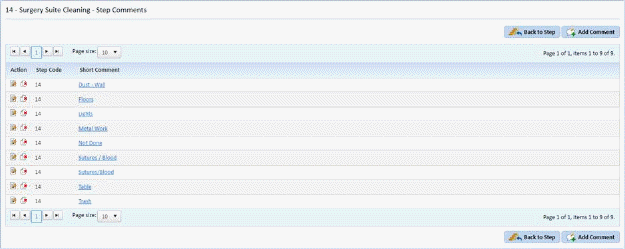
The user has the ability to add, remove, or modify comments for a step.
Smart Facility Software has included some comments for some of the Steps. You are free to use them, remove them, add more, or create your own.
Even though inspections are not performed for Periodic/Project cleaning, you may enter comments for all steps.