 to open the Edit Step form as shown in
the example below:
to open the Edit Step form as shown in
the example below:Below is the procedure to remove comments associated with a step:
1. Select
the Step where you want comments added. Click on the Edit button to open the Edit Step form as shown in
the example below:
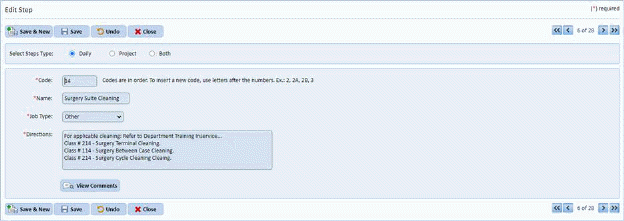
2. Click
on the View Comments button  on the
Steps form to see the Comments List (if any):
on the
Steps form to see the Comments List (if any):
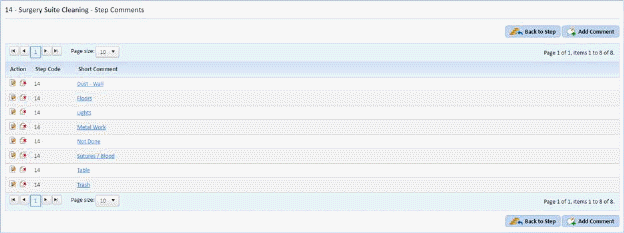
3. Select the comment you wish to delete.
4. After
finding the comment, click on the Delete button  before the step code.
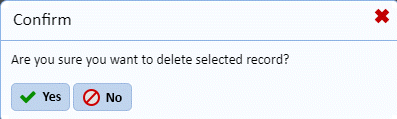
5. Answer the confirmation prompt that will be displayed as shown below:
6. Repeat steps 3 through 5 for all other comments you want to remove from the system.