 to open the Edit Step form as shown in
the example below:
to open the Edit Step form as shown in
the example below:Below is the procedure to update/modify existing comments for a cleaning step:
1. Select
the Step where you want comments added. Click on the Edit button to open the Edit Step form as shown in
the example below:

2. Click
on the View Comments button  on the
Steps form to see the Comments List (if any):
on the
Steps form to see the Comments List (if any):
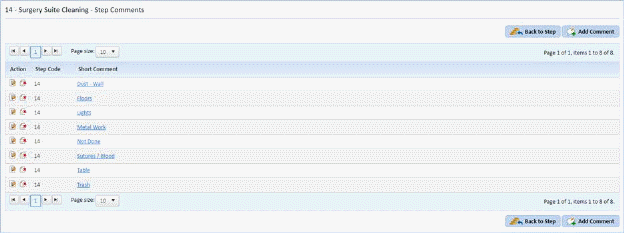
3. Select the comment you wish to update.
4. Click
on the Edit button  before the step
code or on the comment itself to open the form below:
before the step
code or on the comment itself to open the form below:
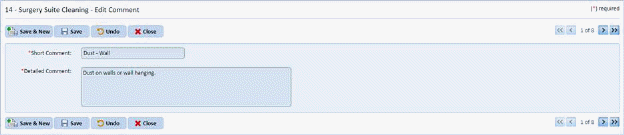
5. Make the necessary changes to the fields.
6. If you
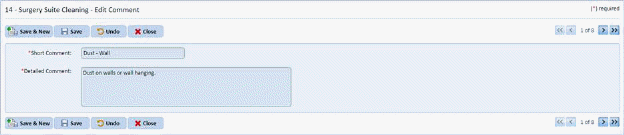
are satisfied with the changes you made for the comment, click on the Save
button . To cancel, click on the Undo
button
. To cancel, click on the Undo
button .
.
7. Click
on the Close button  to return to the
Comments List.
to return to the
Comments List.
8. Repeat Steps 3 through 7 for all other comments you want to update.