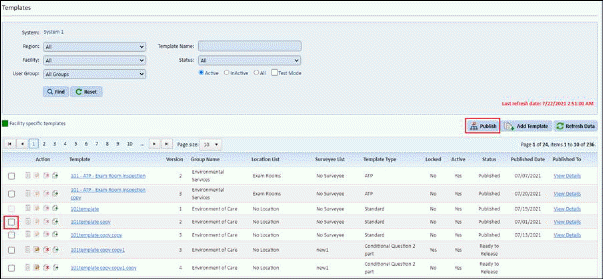
- Template(s) having “Ready to release” status can be published to multiple accounts/facilities.
- User need to select the template and click on “Publish“ button.
- Publish checkbox is disabled, when template is already published to all facilities or already present in all facilities.
- When user clicks on “Publish” button, then following popup shown:
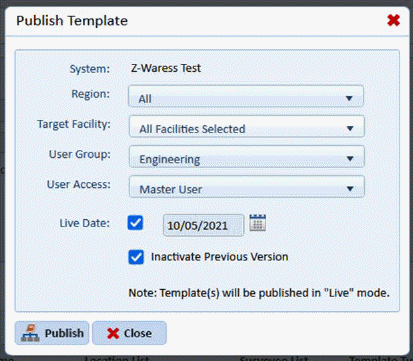
- From the popup user can select following options for Publishing the Template.
o System (Read only)
o Regions (dropdown) – list of regions
o Target Facility (multi-select dropdown)
§ User can select multiple facilities from dropdown where user wants to publish selected template.
§ The facilities for which the templates are already published facilities are in disabled state.
o User Group (dropdown) – User can select target user group for publishing the template.
o User Access
§ Master User – Grant the published template access to the master user of the target facility
§ All users in usergroup – Grant the published template access to all the users associated with the template usergroup.
o Inactivate Previous Version (checkbox)
§ If Checked- Inactivate the previous version of the template in the respective target facilities based on equivalent template
E.g. if current publishing version of the template is 2.0 and previous version 1.0 is present in the target facility, then version 1.0 is deactivated.
§ If Un-Checked- Keep the previous templates as it is, no changes are done.
- After clicking on Publish button following confirmation prompt is shown to user:
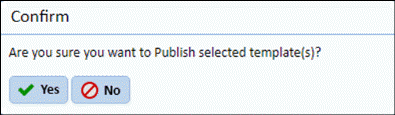
- After confirmation, the template is published to selected facilities.
- When the template is published, then the respective template data (e. g. suveyees list, score type, location list) also is published to the selected account/facilities.
- When location list or surveyee list are associated with a template then, locations and surveyees are also be populated based on Import location criteria & Import surveyee criteria.
- If the template or any other template data (e. g. suveyees list, score type, location list) is already present then it is ignored while publishing.