 to open the form below:
This function of Mass Update allows the user to delete selected room(s) and removes all instances where such specified room(s) from all other modules/forms in the database. This includes Daily Assignments, Project Assignments, Inspections, and CBS.
To perform a mass deletion of rooms, perform the following steps:
1. Select
the room(s) to be deleted. You can also filter rooms you want to delete by
using the ‘Select Room to make changes to’ button to open the form below:
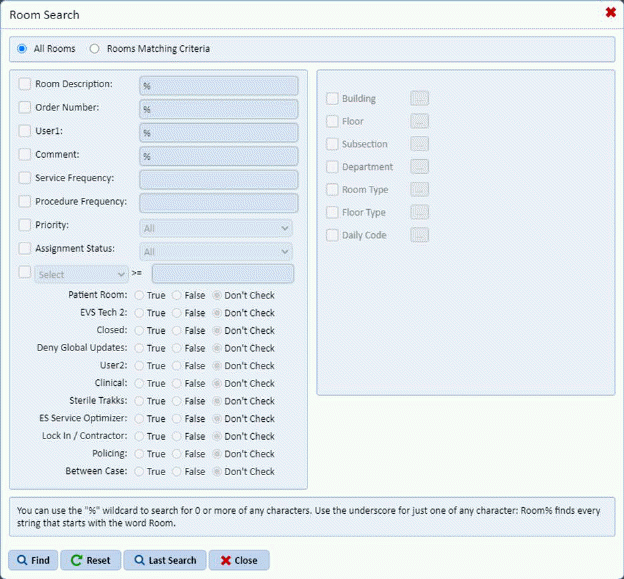
2. Enter
the criteria to find the rooms you wish to update and click the Find button . You will see the screen below:
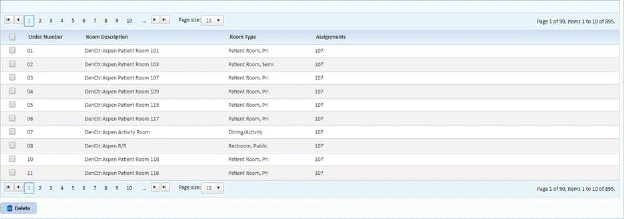
3. Select the Rooms you wish to Delete by clicking on the check box in the Order Number column.
4. Click
on the Delete button .
.
5. Answer the prompt as shown below:
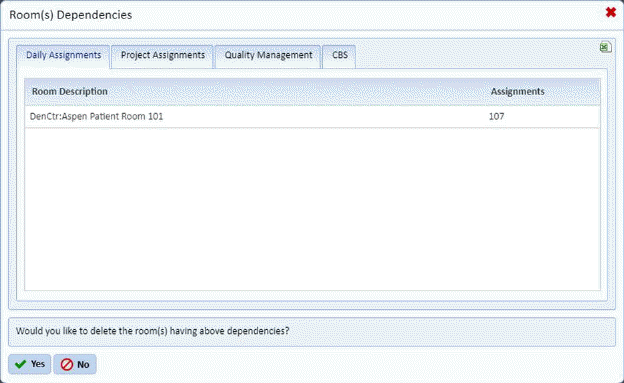
NOTE: The purpose of this screen above is to show the data dependencies for data you would like to delete.