Below is the procedure for the task:
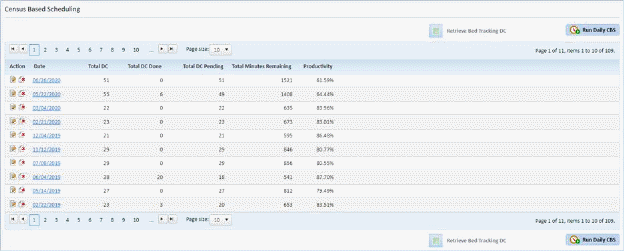
1. In the Census Based Scheduling Module shown below, select the date where you want to remove an assignment.
2. After
selecting the date of the census where you want to remove an assignment, click
on the Edit button  for the selected
date or click on the Date itself. You will display the figure below:
for the selected
date or click on the Date itself. You will display the figure below:
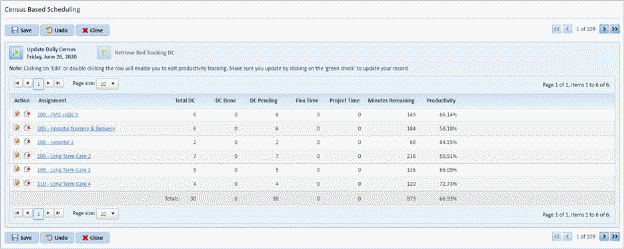
3. Select the assignment you want to remove.
NOTE: You can select more than one assignment to remove from census.
4. Click
on the Delete button  before the
selected assignment. You should receive the confirmation figure below
after clicking on the Delete button.
before the
selected assignment. You should receive the confirmation figure below
after clicking on the Delete button.
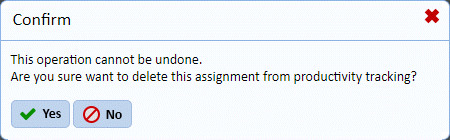
5. Answer the prompt.
6. Click
on the Close button  to return to
the list of Census dates.
to return to
the list of Census dates.
7. Repeat steps 1 through 6 for all other assignments you want removed from other census dates.