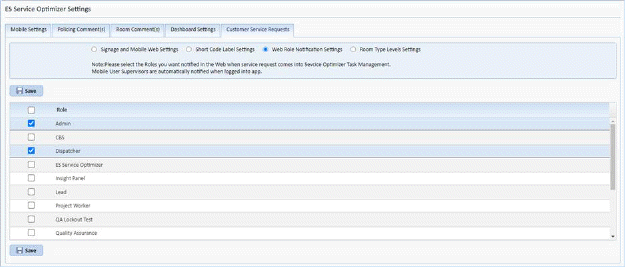
In the Web Role Notification Settings you may choose to add roles that will receive the notification in the event a service request is received by ES optimizer.
If a Service Request comes in and no one is logged into an iOS device to receive the task, the task will then alert users logged into ES Optimizer when they sign on. Chrome has a notification capability so we will alert through that notification service. Internet Explorer and Microsoft Edge do not. This setting is where you can custom set certain roles whereby when they log into the web they are notified of an outstanding non-assigned Service Request Task. As a default we have Admin, Dispatcher as shown above, Supervisor is always the (default). If no supervisors are logged in the system will display “Service Request Not Covered” on the Home page, Task List, and also in the Service Optimizer Tasks tab.