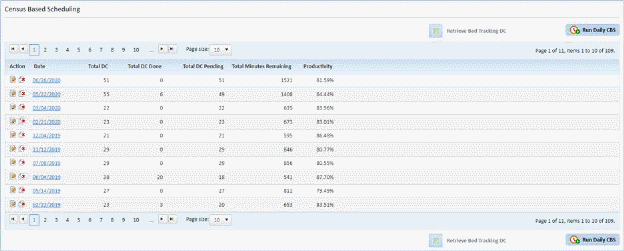
Below is the procedure to update the daily census:
1. In the Census Based Scheduling Module shown below, select the date where you want to remove an assignment.
2. After selecting the date of the census, select an assignment.
3. Click
on the Edit button  before the
assignment name to update total discharges done for the day, flex time, and
project time.
before the
assignment name to update total discharges done for the day, flex time, and
project time.
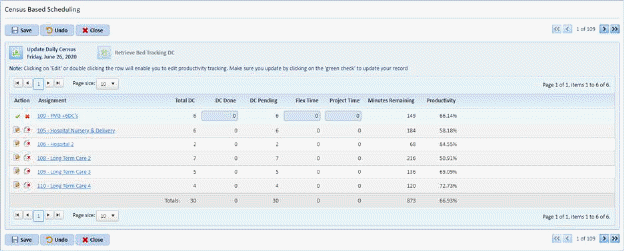
4. Click
on the Check button  to save the
changes to the assignment record.
to save the
changes to the assignment record.
5. Click
on the Save button  to finalize the
changes to the assignment. To cancel, click on the Undo button
to finalize the
changes to the assignment. To cancel, click on the Undo button .
.
6. Click
on the Close button  to return to
the list of census dates.
to return to
the list of census dates.
7. Repeat steps 1 through 6 for all other dates you want to update.