 to open the
form below:
to open the
form below:This function of Mass Update allows the user to specify an employee’s associated Supervisor.
To update the supervisor for an employee, perform the following steps:
1. Select the Supervisor for the employee(s).
2.
You can filter the employees you want to update by using the ‘Search
Supervisor(s)’ button to open the
form below:
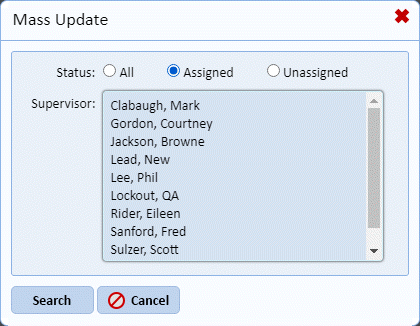
3. Select the appropriate radio button (if choosing Assigned – Please select one or more supervisors).
4. Click
the “Search button  or use the
Cancel button
or use the
Cancel button  to change your
selection. You will see the screen below:
to change your
selection. You will see the screen below:
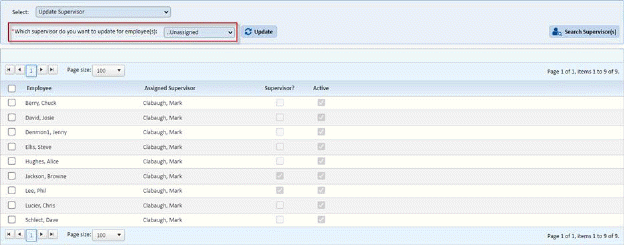
5. Select the Employee(s) you wish to update by clicking on the check box before the Employee Name.
6. Click
on the Update button  to update the
selected employee(s).
to update the
selected employee(s).