 . You will
see this screen:
. You will
see this screen:This function of Mass update allows the user to update the CBS fields in the Daily Assignment Settings Tab in an expedited fashion.
1. You
may choose the assignment you wish to modify by using the Select Assignments to
make changes to button . You will
see this screen:
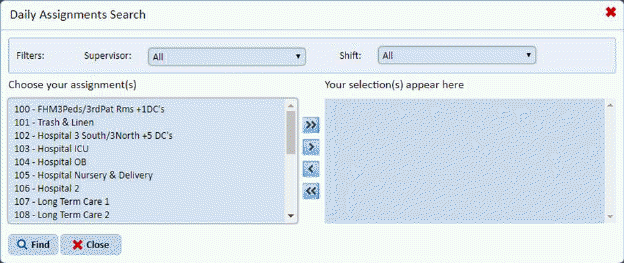
2. You
can filter and/or select assignments and use the arrow buttons  to move assignment(s) to the selection
box as you wish. When you are finished use the Find button
to move assignment(s) to the selection
box as you wish. When you are finished use the Find button to complete your selection you will see the
screen below:
to complete your selection you will see the
screen below:
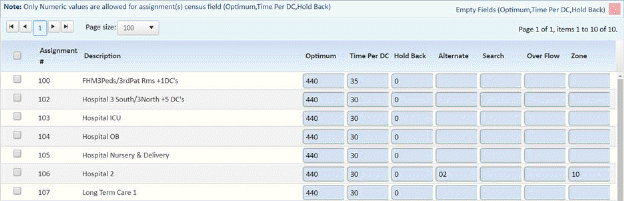
3. Select the Assignment you wish to update using the checkbox left of the assignment.
4. Enter the values in the fields provided.
5. When
you are satisfied with the entries click the “Update” button .
.