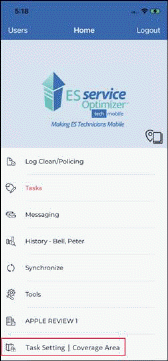
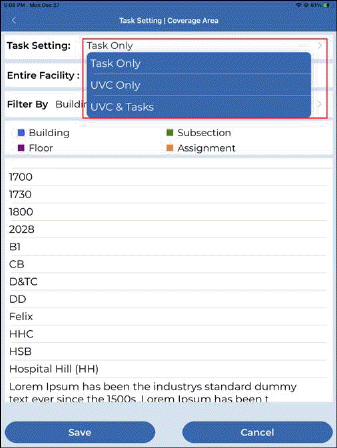
- After tapping on “Task Setting | Coverage Area” menu, user can set coverage area and Task setting.
- A “Task Setting” dropdown is added having following values
o Tasks Only (Default) – All tasks (except UVC Tasks) will be assigned to the user based on Decision Engine
o UVC Only – Only UVC Task will be assigned to the user based on Decision Engine
o UVC & Tasks – Task and UVC Task will be assigned to the user based on Decision Engine
- By default, task setting value is “Tasks Only” or the last setting used by user.
- Task Setting is visible and applicable when Sterile Trakks is OFF (disabled) for the logged-in facility.
- Home menu shows selected task setting and coverage area as show in screenshot-
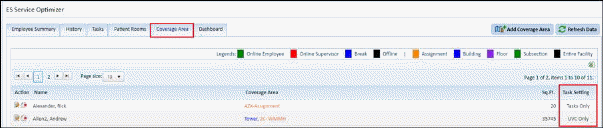
The user task setting is shown on web in ES Service Optimizer > Coverage Area Tab