Tasks
The Tasks Tab shows all the tasks given to the employees as
set by the Filter or Find button.
This tab shows completed rooms synchronized from iOS devices
involving cleaned/policed rooms. This tab includes rooms completed whether
the tasks were assigned from the ES Service Optimizer Mobile app or from the Web
app. Users can obtain details about the task by clicking on the Edit
button before the (Task) Status.
or Find button.
This tab shows completed rooms synchronized from iOS devices
involving cleaned/policed rooms. This tab includes rooms completed whether
the tasks were assigned from the ES Service Optimizer Mobile app or from the Web
app. Users can obtain details about the task by clicking on the Edit
button before the (Task) Status.
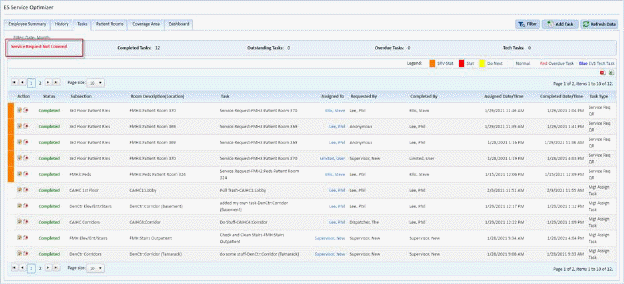
Note: If no supervisors are logged in and “online” the
“Service Request Not Covered” dialogue will display at the top left of the page
as shown above.
Using the Find  button while in Tasks brings up the Tasks
Search box as shown below:
button while in Tasks brings up the Tasks
Search box as shown below:
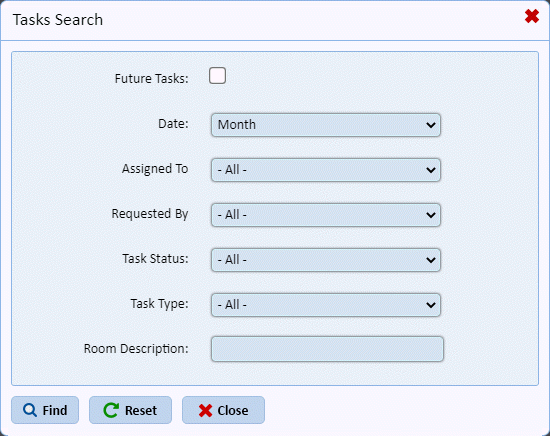
You may specify any of the above criteria to narrow your
results. Using the Reset  button returns your results to
[Today].
button returns your results to
[Today].
