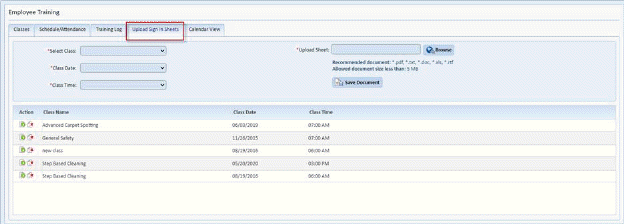
Below is the process to upload digital copies of sign in sheets:
1. While in the Employee Training Module, click on the Upload Sign In Sheets Tab. You will see the figure below:
2. Select the Class associated with the class associated with the sign in sheet.
3. If there are multiple dates associated with the class, select the appropriate date.
4. If there are multiple times when the class was presented, select the appropriate time.
5. Click
on the Browse button  . This will
open the figure below:
. This will
open the figure below:
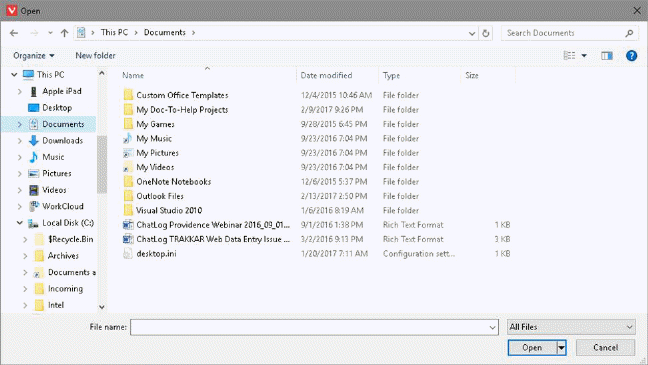
6. Select the digital copy of the sign in sheet you wish to upload.
7. Click
on the Open button  .
.
8. Click
on the Save Document button  to
upload the sign in sheet.
to
upload the sign in sheet.
9. You
may retrieve any Sign in sheet listed using the  download button.
10. You may
delete any sign in sheet using the  delete button.