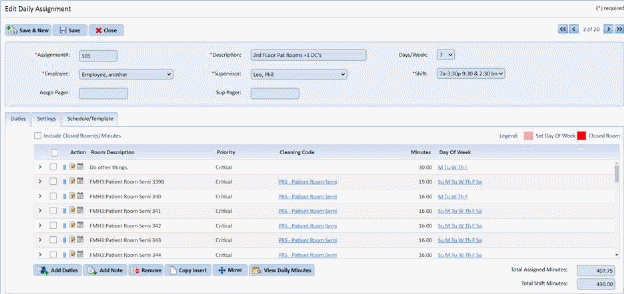
This section deals with specifying the days’ duties can be performed during the week. This is especially useful for rooms that are part of assignments that are performed more times than room availability. As an example, offices maybe only scheduled to be cleaned 5 days a week but the assignment involved is done 7 days a week. Specifying the day(s) of the week when a room is to be cleaned will help schedule and balance the work load for employees.
Below are the steps to specify the Day of the Week when a duty should be performed:
1. Select an assignment with Days of the Week you wish to update. Below is an example of such an assignment.
2. Click
on the Edit Frequency button  or the
Day of the Week link
or the
Day of the Week link  to open the
form below:
to open the
form below:
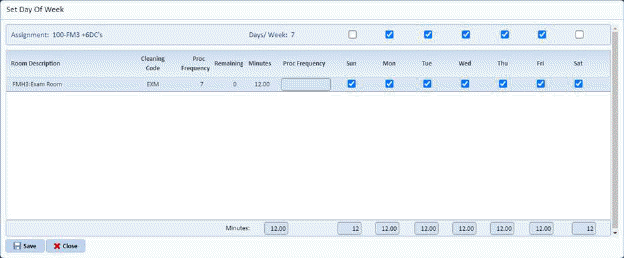
3. Click on the check box for the day of the week when the room will be cleaned. You can change the frequency of the room if needed.
4. Click on the Save button to save the changes.