The Service Request System is a function that allows visitors/patients to request service for any room with their mobile device (smartphone or tablet) by scanning a QR code for the room and specifying what type of service is required. Alternately, user may use long code and text the room code and the issue to a toll free number to create a Service Request. The visitor/patient can enter comments and expect a facility environmental services employee to perform the service as necessary.
Below is a sample of what users can expect when this system is implemented using the QR Code as the selection method:
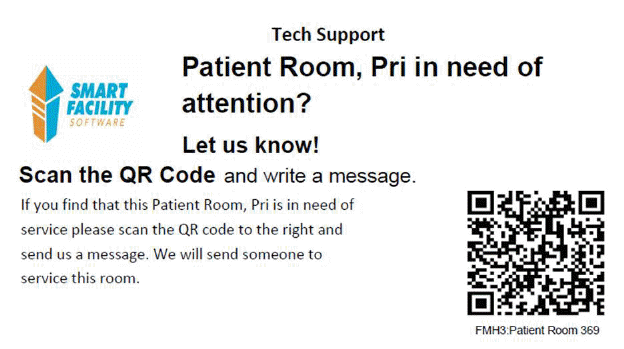
1. Visitors/Patients to the facility use their smartphone or tablet to scan a QR code like the one below:
2. Scanning the QR code opens a website like the one below:
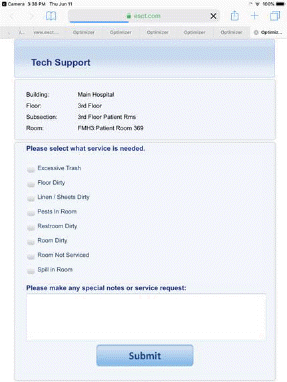
3. The Patient/Visitor can specify what service the scanned room requires:
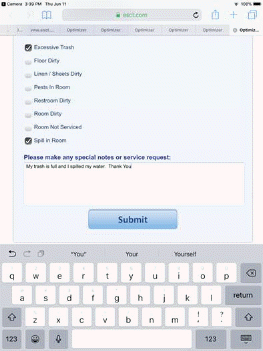
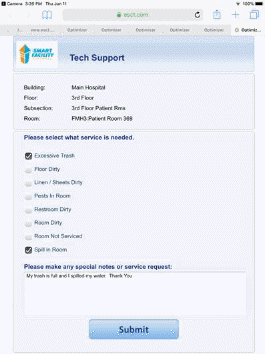
4. After tapping on the Submit button, the patient/visitor will be given the following screen:
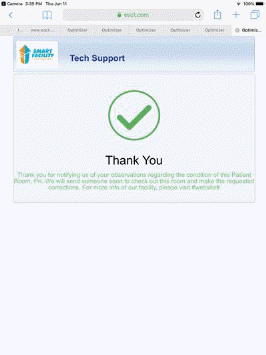
Depending upon the setup and the use of the decision engine a supervisor may get the Service Request and then assign it to a Service Optimizer Tech Mobile user (employee) or the request can go directly to the employee. Below is an example of the service request being received by a supervisor in ES Optimizer Mobile – Service Optimizer Module:
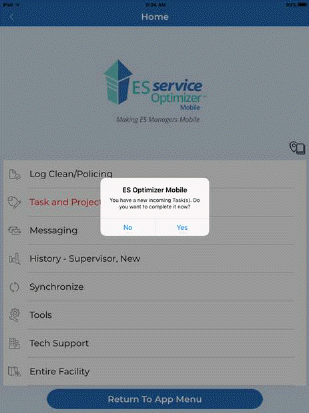
As shown in the figure below, the Service Request the customer recently created is shown at the top of the list of tasks:

Tapping on the Task opens the details of the service request as shown below:

From here users can give the task to an employee and the employee would get notified of the service request:
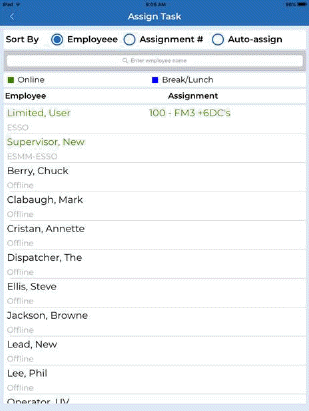

The service Request was re-assigned to Limited user as shown above right.
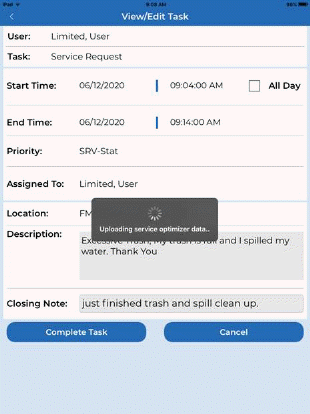
In the screen sequence below the ES Optimizer Tech Mobile user received the request, open and completes it:
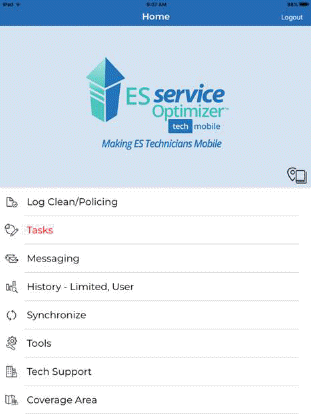
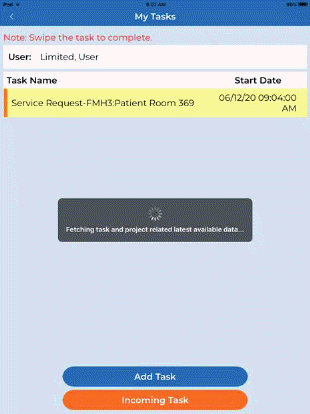

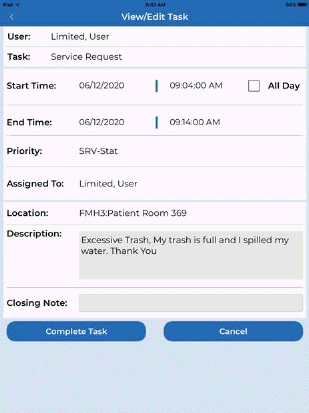
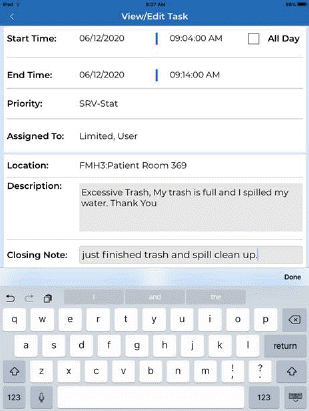

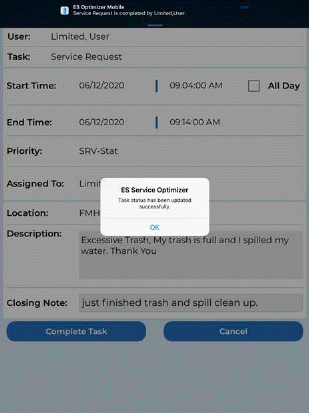
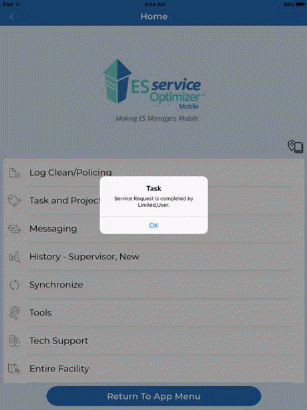
Finally, the supervisor can receive notification the service request has been completed as shown below: