 .
.1. Open the Daily Assignment Module
2. Select
the Short Staff Assignments button .
3. Click
on the find Icon  in the tool bar
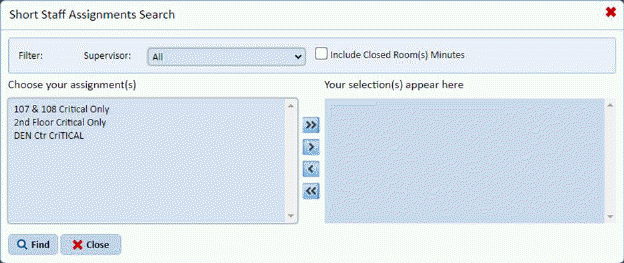
you will see the screen below:
in the tool bar
you will see the screen below:
4. Select
a short staffed assignment and use the move button(s)  to add it to the selection window at
right. You may move all short staffed assignments using the
to add it to the selection window at
right. You may move all short staffed assignments using the  button.
Note: The Option to Include Closed room minutes in the total minutes for an assignment is also provided in the short staff assignment search as shown below:

5. To include the closed room minutes in the total cleaning time for the assignments chosen simply check the box.
6. Click
the find  button to see the resulting
list of short staff assignments.
button to see the resulting
list of short staff assignments.