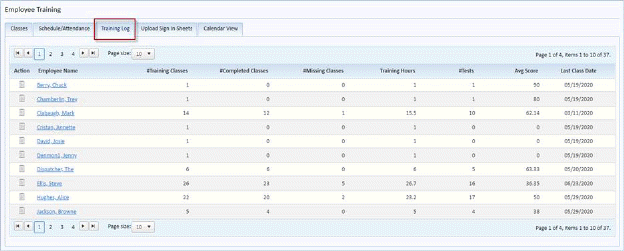
Below are the steps to view the classes an employee has taken:
1. While in the Employee Training Module, click on the Training Log Tab. You will display the figure below:
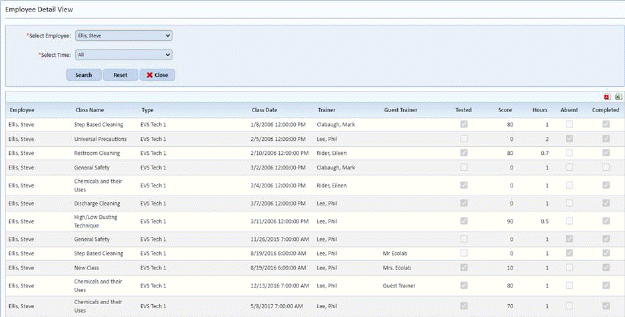
2. Click on the Name of the employee. You will see a page like the figure below:
NOTE: No information in the Training Log tab can be updated. The user must make changes to the classes scheduled in the Schedule/Attendance tab.