 to
open the Project Assignments module.
to
open the Project Assignments module.Below are the steps to reschedule existing or completed tasks in the Project Assignments module:
1. Click
on the Project Assignments button to
open the Project Assignments module.
2. Select
the Scheduled option  to search for
rooms you want to reschedule.
to search for
rooms you want to reschedule.
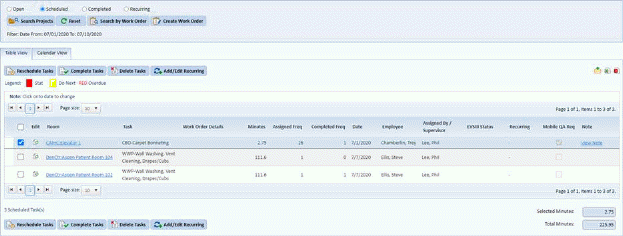
3. Mark the tasks you want to reschedule as shown in the sample figure below:
4. Click
on the Reschedule Tasks button  to
open the figure below:
to
open the figure below:
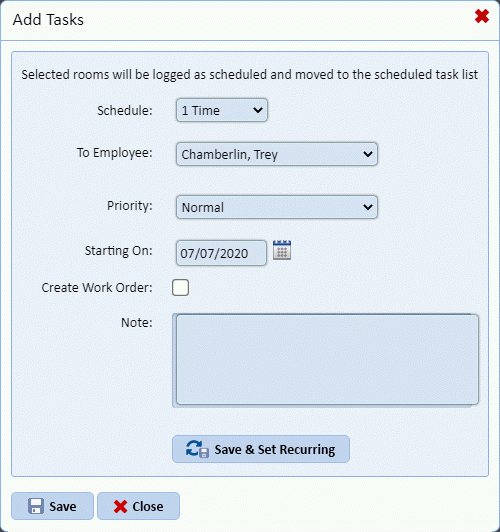
5. Select the employee and the date on whom and when the task will be re-done.
6. Click
on the Save button  if you are
satisfied with your selection.
if you are
satisfied with your selection.