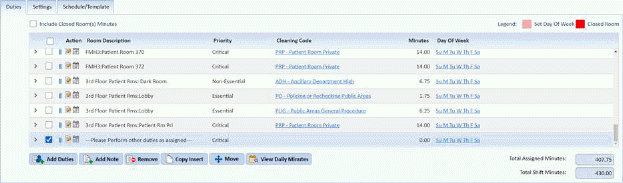
If you do not want a note in an assignment, you can do the following:
1. In the Daily Assignment Module, select the assignment you want to update.
2. Select the note(s) by scrolling through the duty list in the selected assignment and clicking on the checkbox(es) for the Note.
3. Click
on the Remove button .
.
4. If you
are satisfied with your changes, click on the  button. To cancel, click on the
Undo button
button. To cancel, click on the
Undo button .
.
5. Repeat steps 1 through 4 for all other notes you want to remove from other assignments.