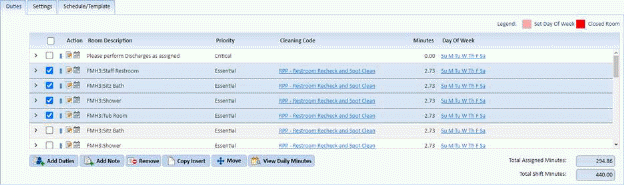
Below is the procedure to remove duties from your duty list:
1. Select the assignment with the duties you want to remove.
2. As shown in the example below, select the duty/duties you want to remove.
3. Click
on the Remove button  in the Duties
tab.
in the Duties
tab.
4. If you
are satisfied with the duties removed, click on the Save button . To cancel, click on the Undo
button
. To cancel, click on the Undo
button .
.
5. Repeat steps 1 through 4 for all other assignments, which have duties you, want removed.