Moving employees from one Daily Assignment to another can be done on a daily basis without removing them from their current assignment.
1. Open the Daily Assignment where you would like them to be assigned.
2. Open the Schedule/Template Tab
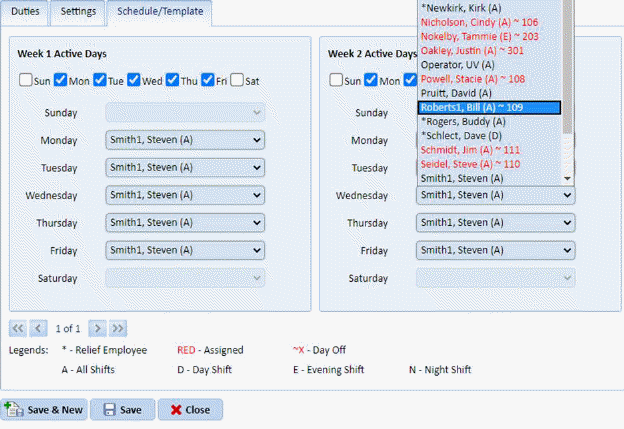
3. Select the day you wish to change staff as shown below:\
Here Steven Smith is going to be replaced by Bill Roberts. As you can see Bill is already scheduled in Daily Assignment 109.
4. Make the selection and shown above and you will see the following dialogue:
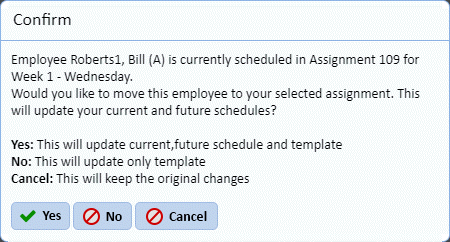
5. Answer the prompt and the changes explained will be performed for you.
6. The
final step is to click the Save button .
.