 to
to  as shown below:
Once you create custom cleaning level you will notice the
button in Preferences>Settings changes from to as shown below:
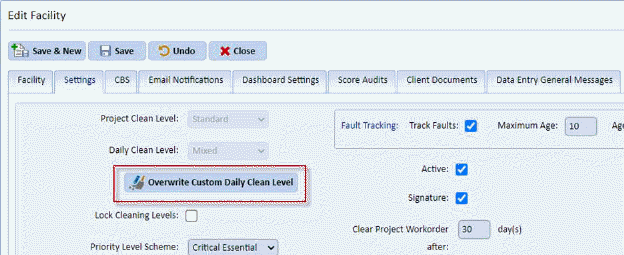
If you wish to change the initial base cleaning level you chose you can now overwrite these by clicking on this button. When you do, you will get the following confirmation:
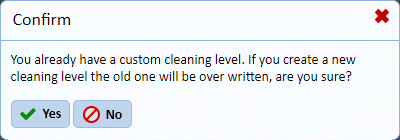
If you confirm by answering “Yes” you will see the same dialogue message you received during creation. It is here that you may choose a different base level for your custom cleaning level. Select the level you desire and click Assign Custom Daily Cleaning level button.
Note: This will reset your default daily SPC codes and frequencies you have set previously to the level you just selected.