 to open the
Floor Type List.
to open the
Floor Type List.To modify floor types from the system, please do the following:
1. Click
on the Floor Type button to open the
Floor Type List.
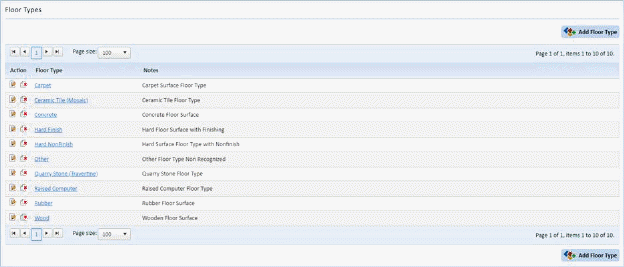
2. Select the floor type you want to update.
3. Click
on the Edit button  or on the floor
type name itself to open the figure below:
or on the floor
type name itself to open the figure below:
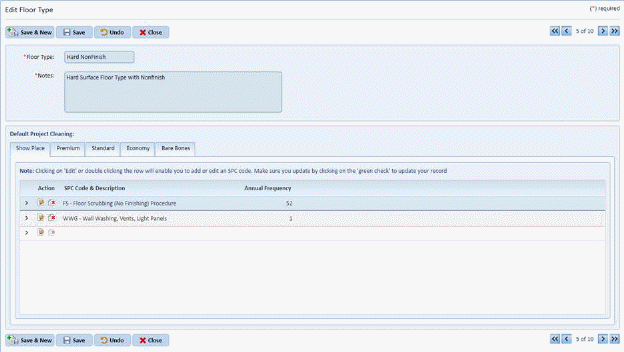
4. From here you can change the Floor Type Name, Notes, and SPC Codes for all the Project Cleaning Levels.
5. If you
are satisfied with the changes to your floor type, click on the Save button  . To cancel, click on the Undo button
 .
.
6. Click
on the Close button  to return to the
Floor Types List.
to return to the
Floor Types List.
7. Repeat steps 2 through 6 for all other floor types you wish to modify/change.