 to open the
SPC Daily List.
to open the
SPC Daily List.Below is the procedure to modify existing daily cleaning codes.
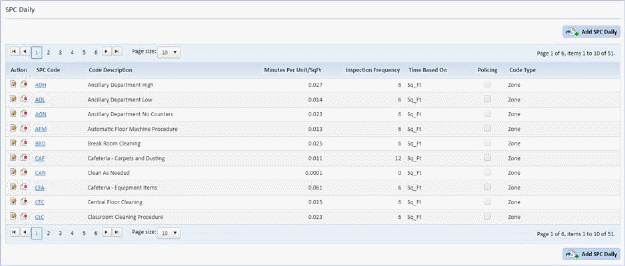
1. Click
on the SPC Daily button to open the
SPC Daily List.
2. Select
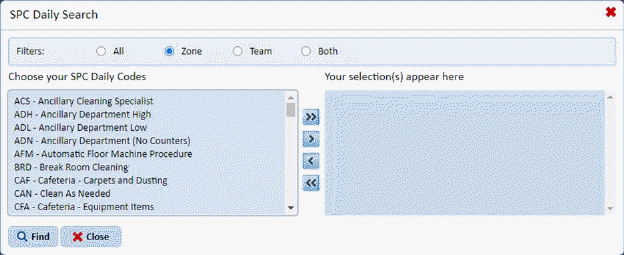
the SPC code you want to update by clicking on the Find button  , opening the search form below, and scrolling
through the list:
, opening the search form below, and scrolling
through the list:
Or, use the SPC Daily List to scroll through the SPC Cleaning Code records:
3. Click
on the Edit button  before the code
description or on the code description itself to open the form below:
before the code
description or on the code description itself to open the form below:
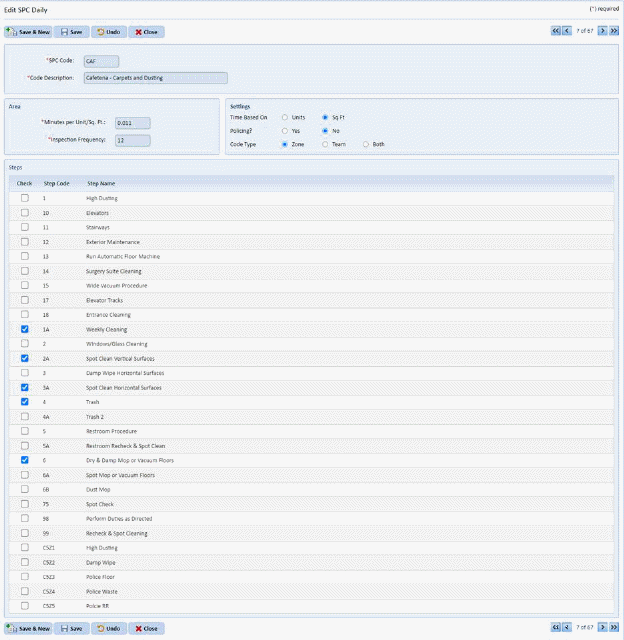
4. Make the necessary changes in the selected code.
5. If you
are satisfied with your changes, click on the Save button . To cancel, click on the Undo button
 .
.
6. Click
on the Close button  to return to the
SPC Daily List.
to return to the
SPC Daily List.
7. Repeat steps 2 through 6 for every daily cleaning code you wish to modify.