 to open
the Departments form.
to open
the Departments form.Below is the procedure to modify existing departments:
1. Click
on the Departments button to open
the Departments form.
2. Select
the department you want to remove/delete. You can do this by one of the
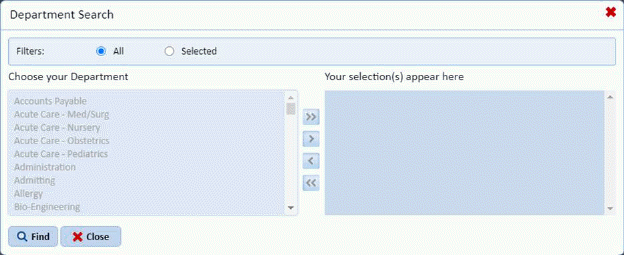
following methods: Click on the Find button  to receive the figure below:
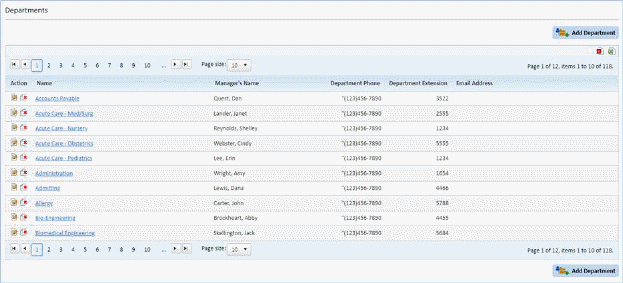
Or use the Departments List as shown below to search the records of departments:
3. Click
on the Edit button  or on the
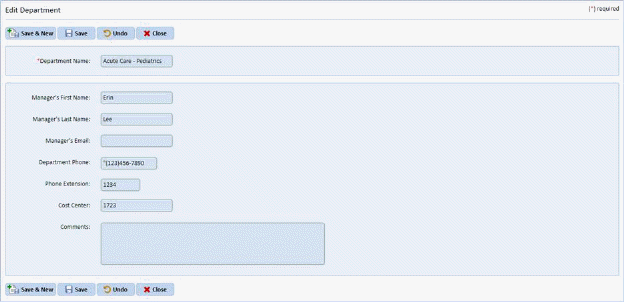
department name for the selected record. You will be routed to a figure
similar to the one below:
or on the
department name for the selected record. You will be routed to a figure
similar to the one below:
4. Change the necessary information.
5. If you are satisfied with the modification you have entered, click on the Save button
6.  . Otherwise, click on the Undo button
 .
.
7. Click
on the Close button  to go back to
the Departments List.
to go back to
the Departments List.
8. Repeat steps 2 through 7 for all other departments you want to update.