 to
open the Daily Assignments List.
to
open the Daily Assignments List.Below is the procedure to modify existing assignments:
1. Click
on the Daily Assignments button to
open the Daily Assignments List.

2. Select the assignment you want to update/modify.
3. Click
on the Assignment Name (Description), Assignment Number (Assignment #) or the
Edit button  before the Assignment
Number to open the Daily Assignment Module.
before the Assignment
Number to open the Daily Assignment Module.
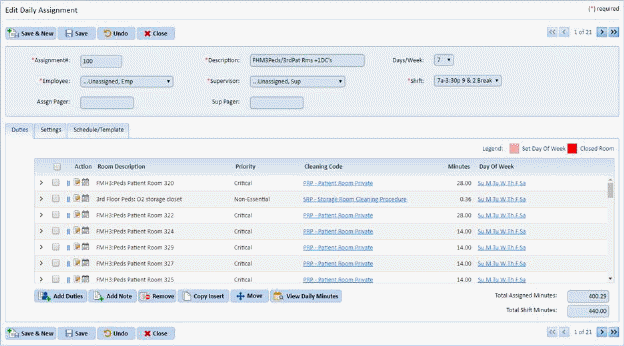
4. At this point, you have several fields and tabs you can choose from to update the selected assignment. See the following sections for more details on Duties, Settings, and Schedule/Template Tabs:
o Working with Assignment Duties
o Specifying Duty Day of the Week
o Working with Assignment Duty Notes
o Working with Stored Assignment Notes
o Working with the Schedule/Template Tab
5. If you
are satisfied with the changes you have made, click on the Save button . To cancel, click on the Undo button
 to restore your original
settings.
to restore your original
settings.
6. Click
on the Close button  to return to
the Daily Assignments List.
to return to
the Daily Assignments List.
7. Repeat steps 2 through 6 for all other assignments you wish to update.