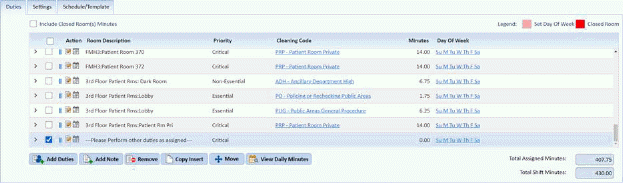
At times, you may just want to change the note for better results. Below is the procedure to modify existing notes in assignments:
1. In the Daily Assignment List, select the assignment with the note you wish to update
2. Select the note by scrolling through the duty list in the selected assignment and clicking on the checkbox for the Note.
3. Click
on the Edit button in the Action column  . You should receive the figure
below:
. You should receive the figure
below:
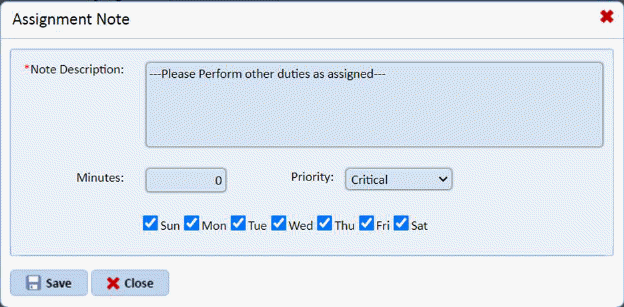
4. From here you can change what is written on the note, the number of minutes, the priority, or the Days of the Week when the note is applicable.
5. If you
are satisfied with the changes to your note, click on the  button. Otherwise, click on the
button.
button. Otherwise, click on the
button.
6. Repeat steps 2 through 5 for all other notes in the same assignment that you want to modify.
7. If you are satisfied with the changes you have made on the assignment, click on the Save button. To cancel, click on the Undo button.
8. Repeat steps 1 through 7 for all other assignments with notes you wish to modify.