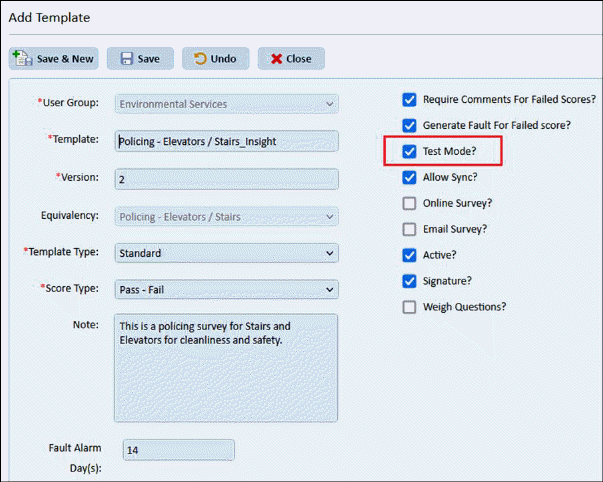
- Insight Panel user can conduct/mock surveys before publishing to facilities.
- Survey Template Test feature is available in Survey standalone app and ESMM - Survey module.
- To perform test surveys, insight panel user needs to set Template’s Test Mode = true in Survey Tool > Template module by login as Insight Panel user.
-
Only Templates with Test mode = true are available for conducting test
surveys from iOS app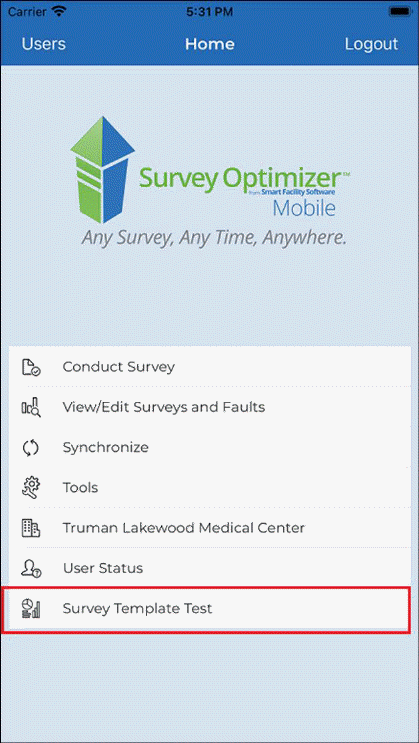
- A new menu “Survey Template Test” is added in Survey standalone app.
- The “Survey Template Test” menu is visible in following conditions:
o When logged-in user has insight panel access
o When logged-in user has Survey access for at least one facility.
o If any template having Insight Mobile Test = True is present in Insight Panel – Template list for the specific region.
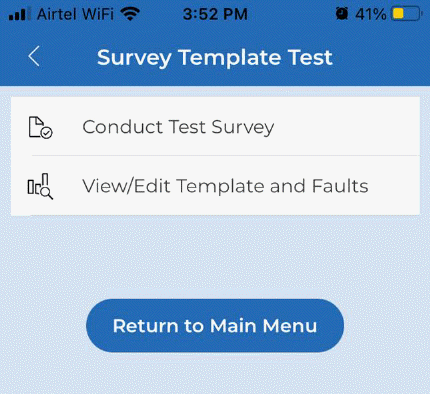
- Taping on “Survey Template Test” menu, following menus are shown:
o Conduct Test Survey
o View/Edit Template and Faults