If you decide to purchase an Apple Device, the Apple Device will come with a set of instructions on how to set up the unit to work in conjunction with internet access. Please make sure that the hand-held device is installed to work properly and can connect to the internet..
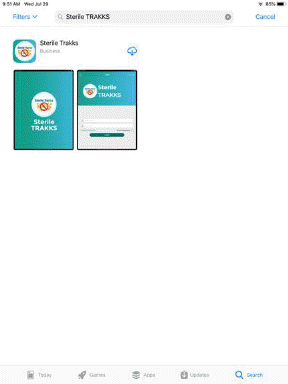
After learning how to use your Apple Device, the next step is to install either ES Optimizer Mobile or the stand alone Sterile TRAKKS application into the Apple Device. Installing the either application into the Apple Device can be done using the Apple App Store in the unit itself or using iTunes. Below are the steps to install the Sterile TRAKKS application:
2. Tap on the cloud Download button and wait for it to download (above left).
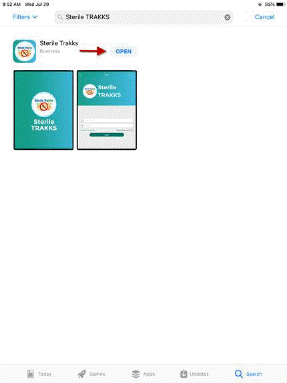
3. The progress circle will change to an “Open” button (Shown above right).
4. You will receive an Icon like the one below if the installation is successful: