ES Optimizer is compatible with Apple mobile devices (IPad, ITouch, IPod, and IPhone). Please refer to Apple’s instructions on creating an Apple ID so you may access the Apple App Store do obtain the ES Optimizer Mobile application.
Installing the ES Optimizer Mobile App into the Apple Device can be done using the Apple App Store in the unit itself or using iTunes. Below are the steps to install the ES Optimizer Mobile App:
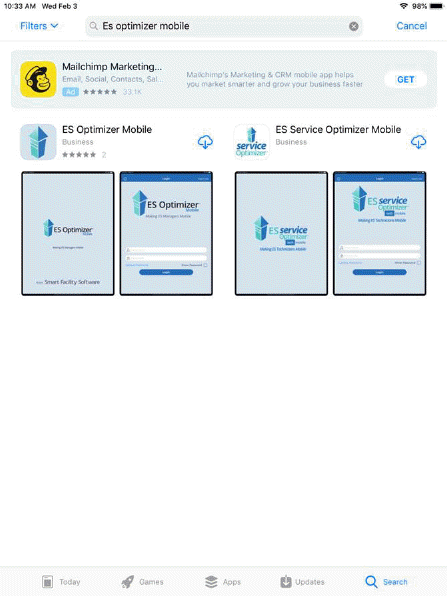
1. Like many apps available in the Apple App Store, the user should locate the ES Optimizer Mobile App. Use the search bar and enter “ES Optimizer Mobile.”
2. Click on Cloud download icon to right of the app name.
3. The Apple App Store system does the rest. Follow the prompts. This is where familiarity with using your Apple Device becomes helpful.
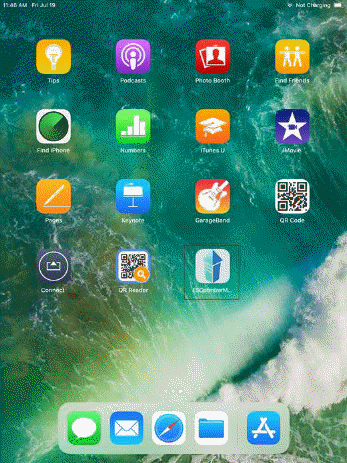
4. You will receive a figure like the one below if the installation is successful: