Insight Panel Users can give other users Insight Panel access. This can be done with the following steps:
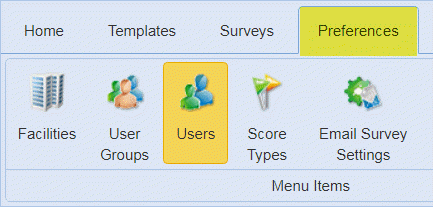
1. Go to Preferences >> Users Option as shown below:
2. Clicking on the Create User option opens the list of users as shown below:
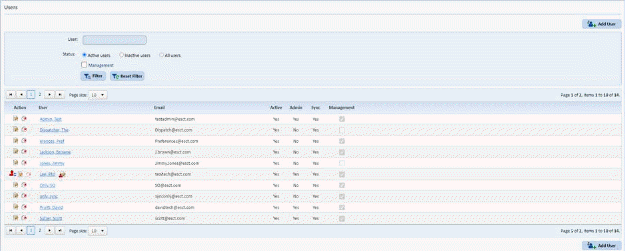
3. Select a user who will gain Insight Panel access. Click on their name and you will get a figure like the one below:
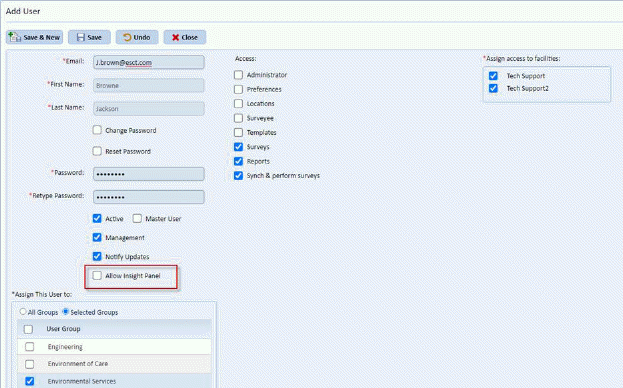
4. Select the “Allow Insight Panel” checkbox indicated above.
5. Click
on the Save button  to save
the changes for the new Insight Panel User.
to save
the changes for the new Insight Panel User.