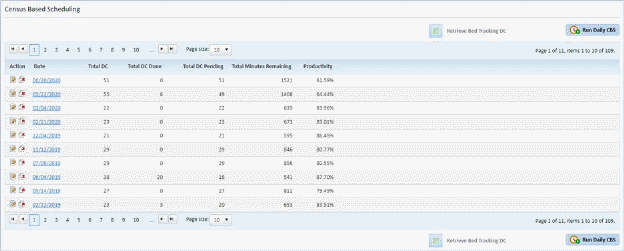
Below is the procedure for the task:
1. In the Census Based Scheduling Module shown below, select the date where you want to edit an assignment.
2. After selecting the date of the census, select an assignment.
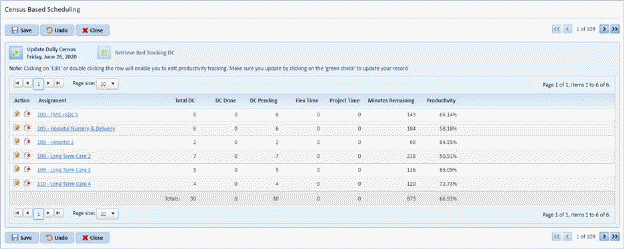
3. Click on the Assignment Name to display the figure below:
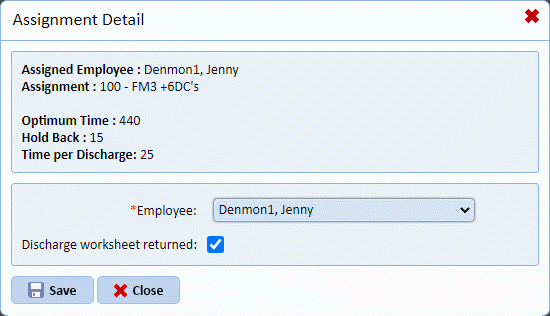
In this case, Assignment 100 is selected for update.
4. From the figure above, you will be able to update the employee and confirm that a discharge worksheet was returned. This is useful, as you do not have to go to the Daily Assignments Module to learn more about the census assignment you selected.
5. Repeat steps 1 through 4 for all other assignments you want to review.