Following changes are integrated in ES Optimizer Mobile App-
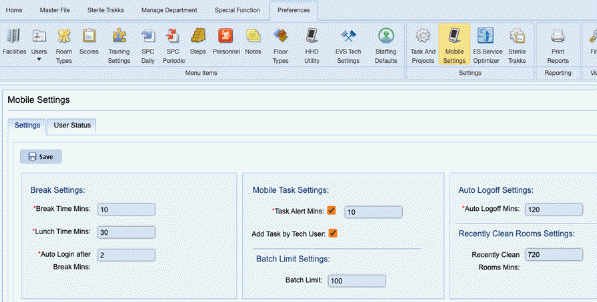
Batch Setting Changes for Offline Data:
A new section called "Batch Limit Setting" has been added in the mobile settings. This section includes an option for setting a batch limit.
1. Setting the Batch Limit: Users can specify the maximum number of offline data entries allowed on the device.
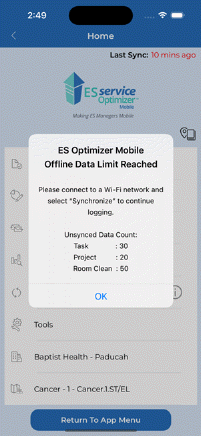
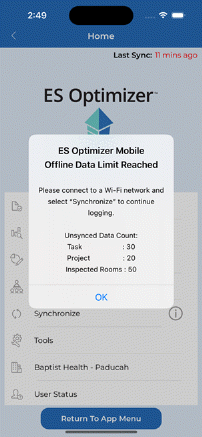
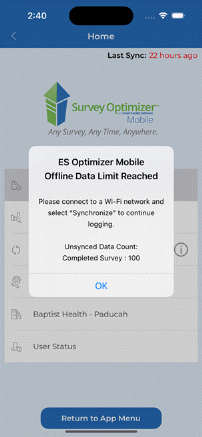
2. Offline Data Limit Alert:
•The batch settings are consistent across all modules.
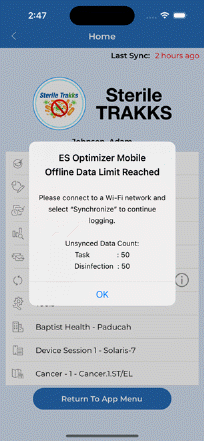
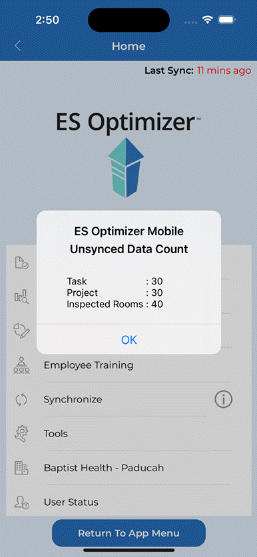
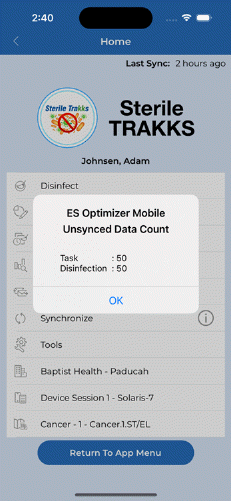
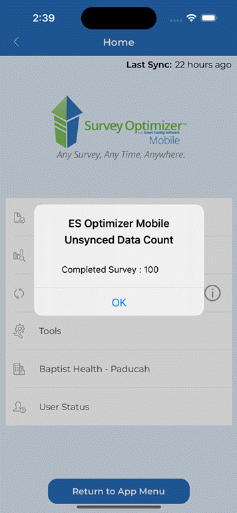
•The count of unsynced data entries will vary depending on the specific module selected. When the offline data reaches the defined batch limit for any module, the system will trigger an alert to notify users.
o SO : Unsyned data count includes counts for Task, Project and Room Clean.
o QM : Unsyned data count includes counts for Inspected Rooms, Task and Projects
o Survey : Unsyned data count includes counts for Completed Surveys.
o Sterile : Unsynced data count includes counts for Task and Disinfection.
Last Sync Status:
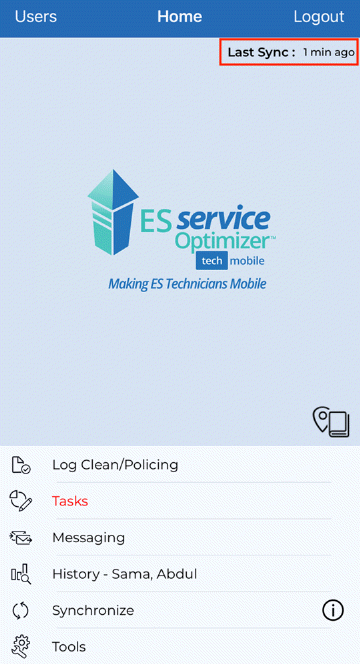
1. Normal Sync Status: When the offline data on the device is below the user-defined batch limit, the "Last Sync" status is displayed normally.
a. Last sync status will be display based on the Last synchronization of selected module.
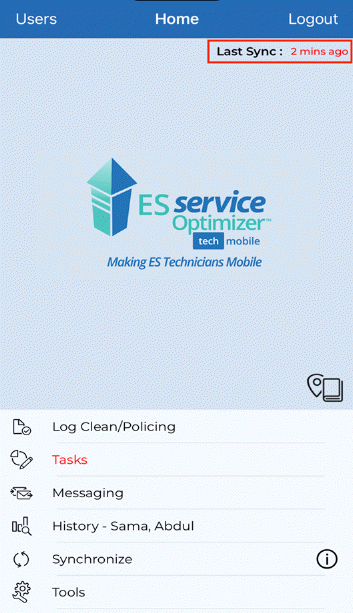
2. Alert When Limit Reached: If the offline data on the device reaches the specified batch limit, the "Last Sync" label will change to red to alert the user.
Unsynced Data Information Icon:
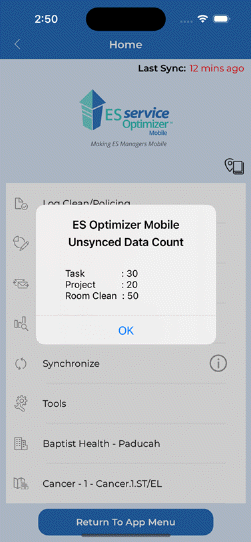
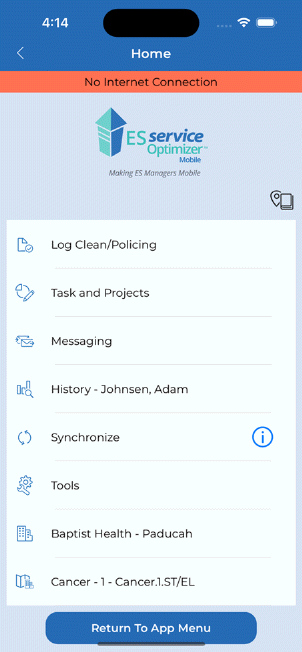
•An info icon has been added next to the "Synchronize" menu.
•Tapping this icon will display the unsynced data for the selected module.
o SO, Module: Displays the unsynced data count for Room Clean, Tasks, and Projects.
o QM Module: Displays the unsynced data count for Inspected Rooms, Tasks, and Projects.
o Survey Module: Displays the unsynced data count for Completed Surveys.
o Sterile Module: Displays the unsynced data count for Disinfected Rooms and Tasks.
Device Id Changes:
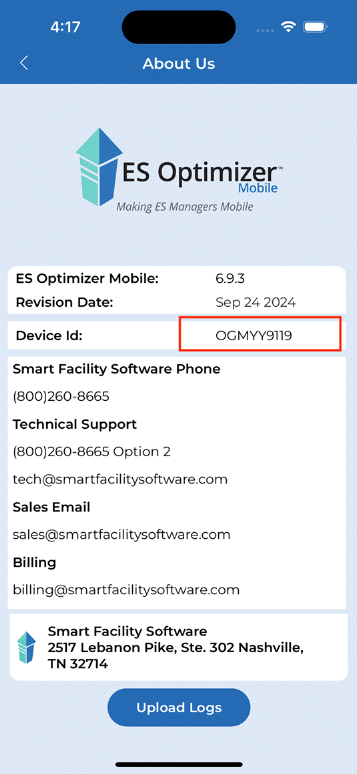
•Each device where the ES Optimizer Mobile (ESMM) app is installed will now display a unique Device ID for identification purposes.
No Internet Connection:
If the device does not have an internet connection, a "No Internet Connection" strip will be displayed at the top of the home screen of each module.
Service Request Change:
•Users can now edit or complete service request tasks while in offline mode.