 in the Master Files section and you will
see the figure below:
in the Master Files section and you will
see the figure below:Click on the Employees button in the Master Files section and you will
see the figure below:
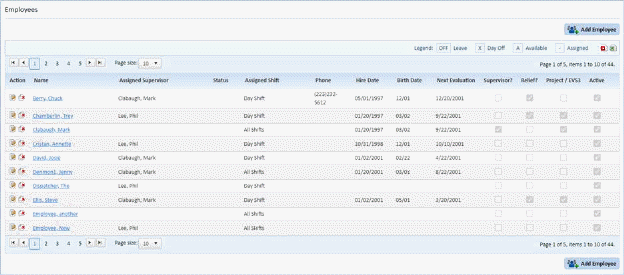
You must enter all the employees in your department into the Employees form. Ensure that the check boxes for ‘Supervisor?,’ ‘Relief?,’ and ‘Project / HKIII?’ are properly marked if the employee fits the criteria.
NOTE: Relief employees are still considered permanent employees in ES Optimizer. Relief only means that the employee works different assignments.
See the Employees Module for more details.