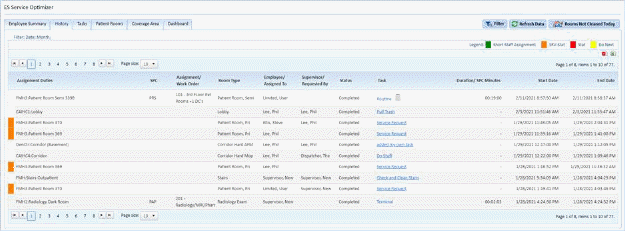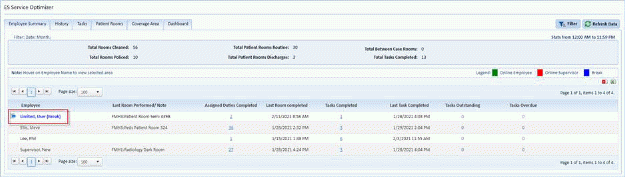
The Employee Summary Tab shows an overview of all the employees who have been assigned tasks and a count of what they have completed and pending. The calculation for the Employee summary details is as follows:
All the below field values are getting calculated based on the applied Date filter (Today, Yesterday, etc.)
§ Total Rooms Cleaned = Number of Patient Rooms (Routine, Discharge) + Cleaned rooms + Number of assignment notes.
§ Total Rooms Policed = Number of rooms policed from Service Optimizer.
§ Total Patient Rooms Routine = Number of Routine cleaned patient rooms from Service Optimizer.
§ Total Patient Rooms Discharges = Number of Discharge cleaned patient rooms from Service Optimizer
§ Total Between Case Rooms = Number of Between case cleaned rooms from Service Optimizer.
§ Total Tasks Completed = Total tasks Completed
This tab also shows if an employee is on break as shown in the figure below:
When on break, the employee’s name is listed in blue. If an employee is not on break, their names are listed in green. Supervisors are shown in red if online.
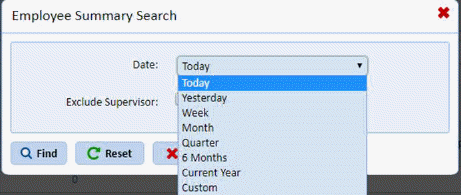
If you use the find  button while in Employee Summary will see
the below dialogue:
button while in Employee Summary will see
the below dialogue:
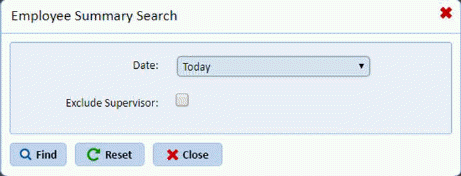
You may select a timeline and even exclude supervisor’s results: