 .
.1. Search
for the rooms you wish to update by using the Select Room to make changes to
button.
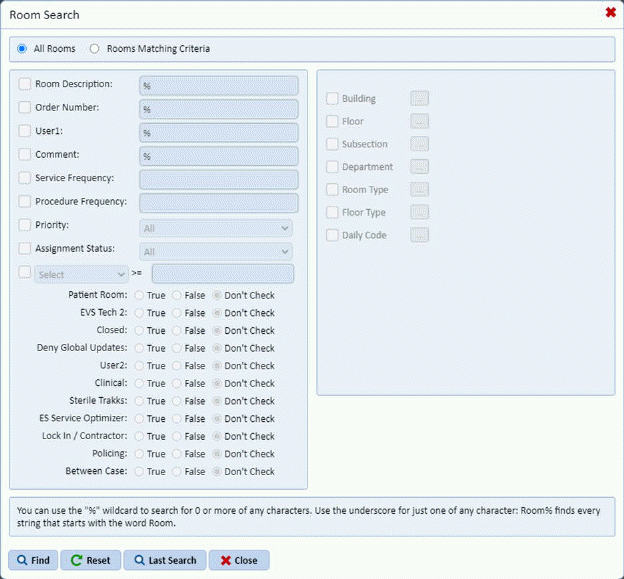
2. Enter the search criteria as desired into the Room Search box as shown below:
3. Click
on the Find button to apply the search
options to the edit room adjustments box.
to apply the search
options to the edit room adjustments box.
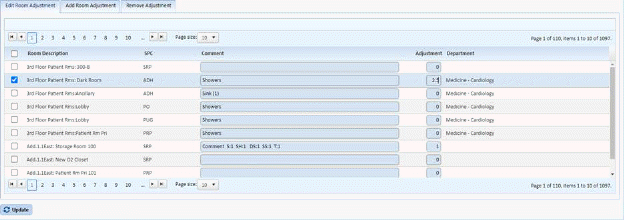
4. Select the room by placing a check mark in the box to the left of the room, enter a comment if desired and then enter the adjustment in minutes. An example is shown below:
5. When
you are done entering the new values click the Update button .
.
6. Repeat Steps one through five for all rooms you wish to Edit the Room Adjustment.