 to the left of
the date you wish to edit. An example is shown below:
to the left of
the date you wish to edit. An example is shown below:To edit a date daily opportunities follow the procedure below:
1. Select the date range in the date dropdown that will yield the date you are looking for.
2. Click
on the edit icon to the left of
the date you wish to edit. An example is shown below:
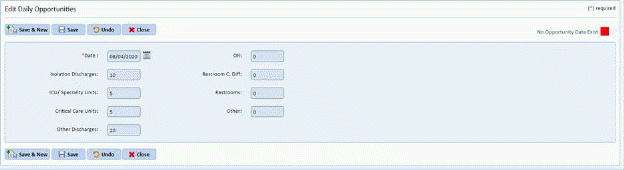
3. Enter
the changes you wish to make, and click the Save button  .
.
4. Click
the Close button  to go back to
list view.
to go back to
list view.
5. Repeat the Steps 1-4 for all other edits you wish to make.