
To edit an infection rate follow the steps below:
1. Select a date range in the Date dropdown that will display the infection rate you wish to edit
2. Click on the edit Icon to the left of the infection rate you wish to edit as shown below:
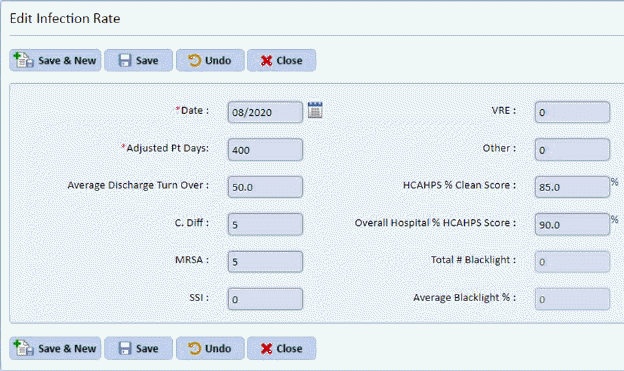
3. Enter the new rate information in the form provided. An example is shown below:
4. Click
the Save button  to save your
changes or the Save & New button
to save your
changes or the Save & New button  if you would like to save your edits and
add a new infections rate.
if you would like to save your edits and
add a new infections rate.