 to
the left of the Room Type you wish to modify. An example screen is shown
below:
to
the left of the Room Type you wish to modify. An example screen is shown
below:1) Locate the Room Type for which you would like to edit comment, levels or both.
2) Click
on the action column Edit Icon to
the left of the Room Type you wish to modify. An example screen is shown
below:
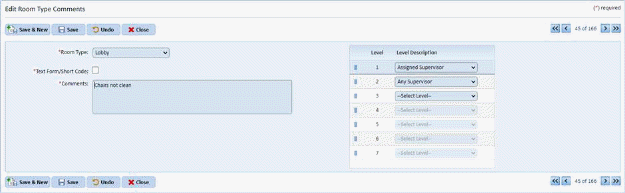
3) Update the comment or levels as needed.
4) Click
on the Save button  to apply
changes.
to apply
changes.
5) Click
the Close button  to return to the
Room Type Comment Level Settings listing.
to return to the
Room Type Comment Level Settings listing.
6) Repeat Steps 1 through 5 for all room types you wish to modify.