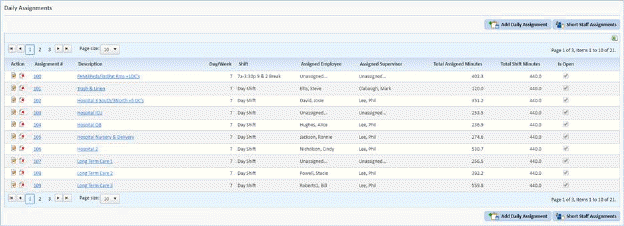
Census Assignments are performed with regards to existing Daily Assignments (work assignments). By filling in a check box, an assignment can be involved in Census Based Scheduling. Below is the procedure:
1. Go to Daily Assignments Module.
2. Select the Daily Assignment that will be included in the Census Scheduling Assignments List to open the form below:
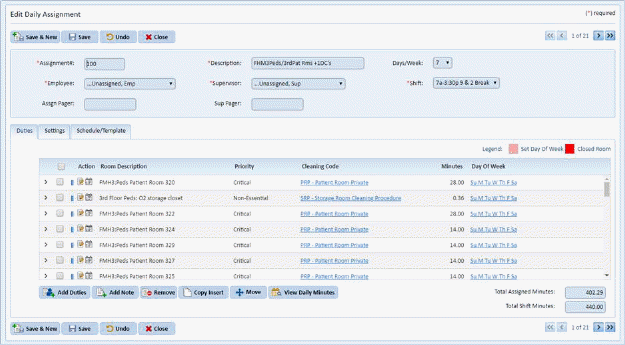
3. Click on the Settings tab.
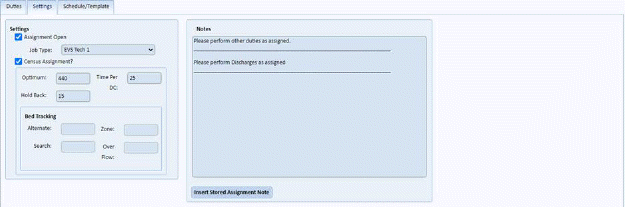
4. Fill in the necessary information in the Settings box shown below:
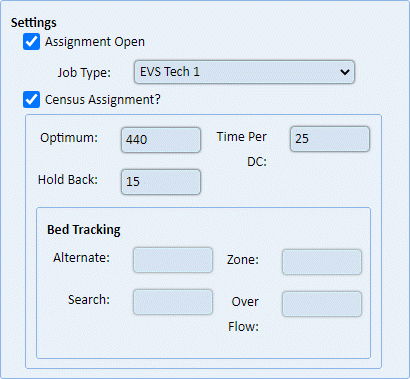
Assignment Open – This check box ensures that the assignment is ‘in use’ or active.
Census Assignment – This check box is critical for an assignment to be part of the Census Based Scheduling module. When checked, the fields below become available for changes.
Optimum – This field specifies the time of how long an employee works. This is usually the optimum time it takes to work the full day.
Time per DC – This field specifies the time it takes to perform a discharge.
Hold Back – This field specifies the time for unusual occurrences that may take away from the productivity of the employee.
Alternate, Zone, Search, and Overflow – These fields relate to BedTracking from Teletracking, Inc. Please contact ES Optimizer Tech Support for more information on integrating with BedTracking.
5. After entering the necessary information, save the changes to the assignment by clicking on the Save button. Otherwise, click on the Undo button.
6. Repeat steps 2 through 4 for all other assignments to become census assignments.