 to
open the Project Assignments module.
to
open the Project Assignments module.Below are the steps to delete scheduled tasks:
1. Click
on Project Assignments button to
open the Project Assignments module.
2. Select
the Scheduled  or Completed
 option and mark the
tasks/rooms you want to delete.
option and mark the
tasks/rooms you want to delete.
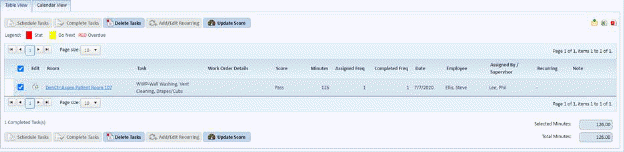
3. Click
on Delete Tasks button  and you get
the prompt below:
and you get
the prompt below:
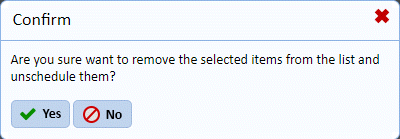
4. To delete the selected tasks click on Yes button. To cancel, click on No button.