 to open the
Employees List.
to open the
Employees List.Below are the steps to delete notes from an employee record:
1. Click
on the Employees button to open the
Employees List.
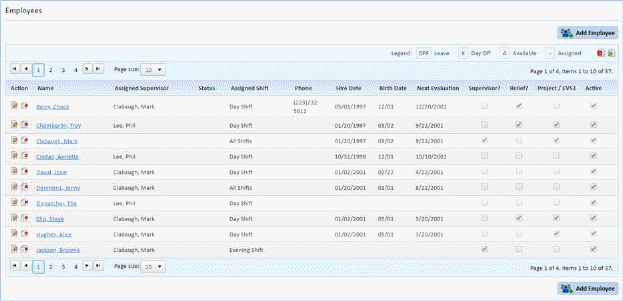
2. Select the employee that you want to delete a note.
3. Click
on the Edit button  or on the name of
the employee to open the figure below:
or on the name of
the employee to open the figure below:
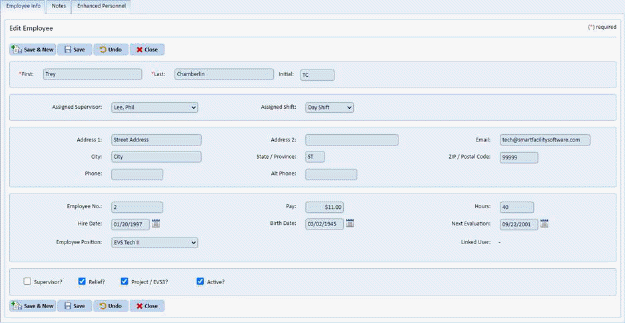
4. Click on the Notes tab to get the figure below:
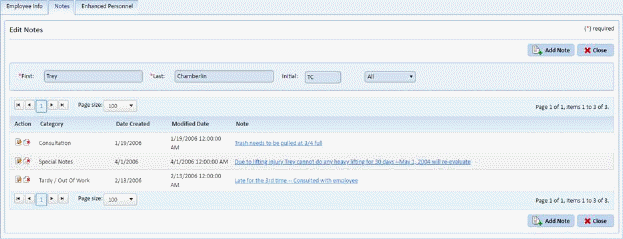
5. Click
on the Delete button  before the
Category and Date for the note.
before the
Category and Date for the note.
6. Answer the prompt below:
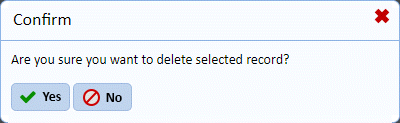
7. Repeat steps 5 through 7 for all the notes you wish to delete from the same employee.
8. Click
on the Close button  to go back to
the Employees List.
to go back to
the Employees List.
9. Repeat steps 2 through 8 for all other employees with notes you want to remove.