 to
open the Daily Assignments List.
to
open the Daily Assignments List.There will be times when a daily assignment is not appropriate or just needs to be drastically changed. In those cases, it would be easier to delete an assignment and create a new one rather than work on editing the existing assignment.
Below is the procedure to delete assignments:
1. Click
on the Daily Assignments button to
open the Daily Assignments List.

2. Select the assignment you want to delete.
3. Click
on the Delete button  before the
Assignment Number (Assignment #).
before the
Assignment Number (Assignment #).
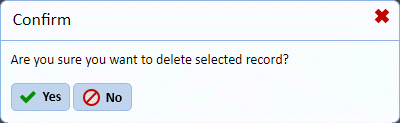
4. Answer the confirmation prompt below:
5. Repeat steps 2 through 4 for all other assignment records you want to remove.