In many cases it is preferable to inactivate a user from the system as opposed to deleting the user. If you still wish to delete the user below are the steps to delete a user from the ES Optimizer system:
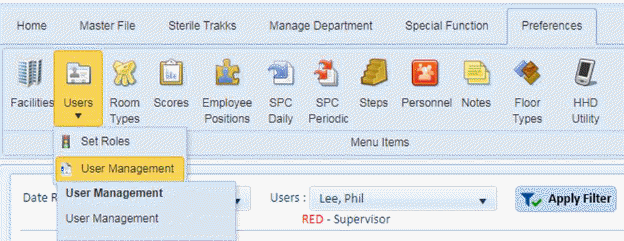
1. Open the Preferences > Users > User Management option as shown in the screenshot below:
You will be shown a screen similar to the one below:
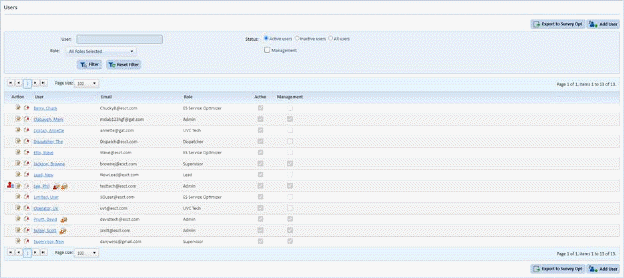
2. Select the user to delete.
3. Click
on Delete button  before the user
name and you will receive the confirmation figure below:
before the user
name and you will receive the confirmation figure below:
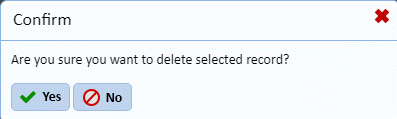
4. Answer the prompt below:
5. Repeat steps 2 through 4 for all other users you want to delete.