 to
open the Daily Assignments List.
to
open the Daily Assignments List.After all the items above have been carefully considered, you can now start work on creating assignments.
Below is the procedure to create new daily employee assignments/routes.
1. Click
on the Daily Assignments button to
open the Daily Assignments List.
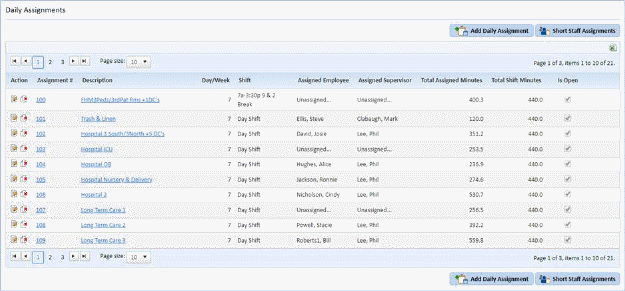
2. Click
on the Add Daily Assignment button  to display the figure below:

3. Enter the necessary information for the following fields:

4. Click
on the Save button to save the current
information on the assignment or click on the Undo button
to save the current
information on the assignment or click on the Undo button to cancel.
NOTE: At this point, an assignment has been created but not all the details of the assignment have been established. Details like cleaning route (Duties Tab), assignment settings (Settings Tab), and working template (Schedule/Template Tab) still need to be finalized. The user must enter the other information as needed. It is recommended to save often when making changes to the information specified in the tabs (Duties, Settings, Schedule/Template).