 to open the
What If module.
to open the
What If module.1. Click
on the What If button to open the
What If module.
2. While in the Daily tab, select the What If Applied Globally option.
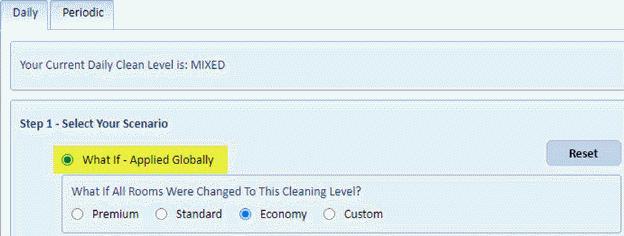
Note: you can use the reset button to clear entire form of previous entries.
3. Select the cleaning level you wish to set for the rooms.

4. If you
wish to apply the changes to selected rooms, click on ‘Select Rooms to Make
Changes to’ button .
.

The dialog box below will open:
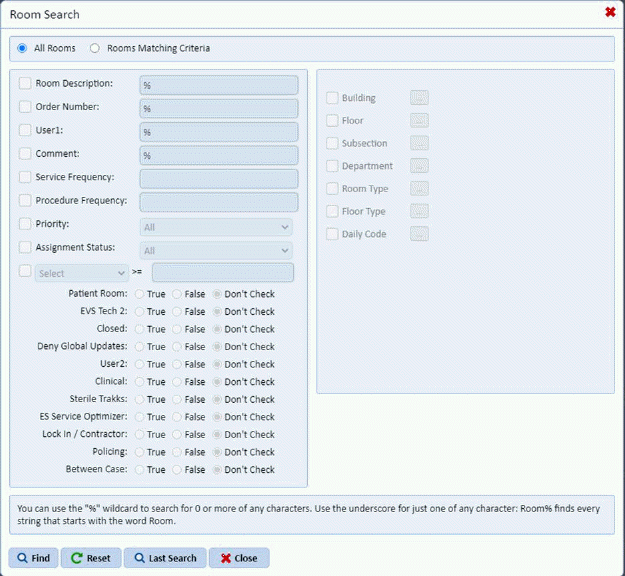
Specify criteria for the rooms to update. Click on
the Find button  after specifying the
criteria for the rooms.
after specifying the
criteria for the rooms.
If you wish to verify the rooms selected click on the View
Filter button  .
.
5. Click
on the Print What If Report button  to see a list of rooms potentially
affected. You will receive the figure below to view the progress:
to see a list of rooms potentially
affected. You will receive the figure below to view the progress:
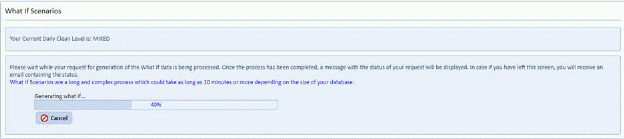
6. You will be prompted with the figure below:
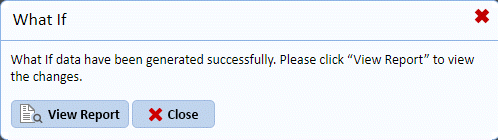
Answer the prompt.
7. If you
are satisfied with the proposed changes, click on Execute Changes button  and ES Optimizer will set all the
selected rooms to the proposed cleaning code.
and ES Optimizer will set all the
selected rooms to the proposed cleaning code.