 while in Calendar to
open the New Task form below:
while in Calendar to
open the New Task form below:Below are the steps for adding tasks or appointments to the Calendar:
1. Click
on New button while in Calendar to
open the New Task form below:
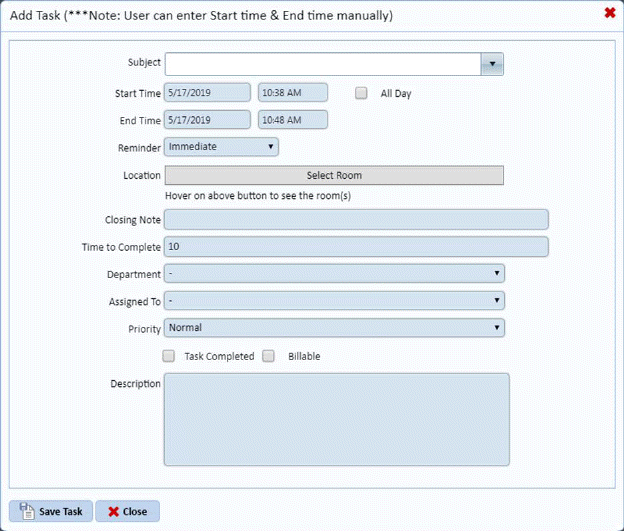
NOTE: This is the same form used in Home Page. (See Working with Home Page section for more details.)
2. Enter the necessary details.
3. Click
on the Save button  to save the new
task in your Calendar. Otherwise, click on the Cancel button
to save the new
task in your Calendar. Otherwise, click on the Cancel button .
.
4. Repeat steps 1 through 3 for all other tasks you want to add.