 and you see the Add
Task Form as shown below:
and you see the Add
Task Form as shown below:Below is the procedure to Add tasks in the Task List:
1. Click
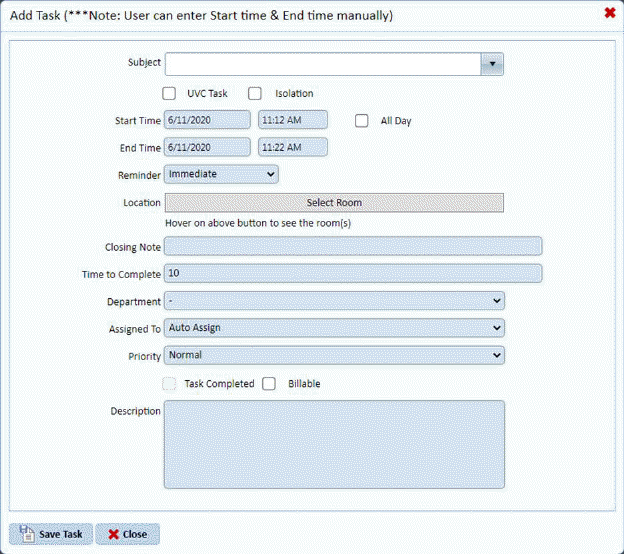
the Add Task button and you see the Add
Task Form as shown below:
2. Enter
the information you desire into the task form and click on the Save Task
button . Your task will be saved and
will appear in the task list.
. Your task will be saved and
will appear in the task list.