 to open the
SPC Daily List.
to open the
SPC Daily List.Below is the procedure to add new Daily SPC Codes:
1. Click
on the SPC Daily button to open the
SPC Daily List.
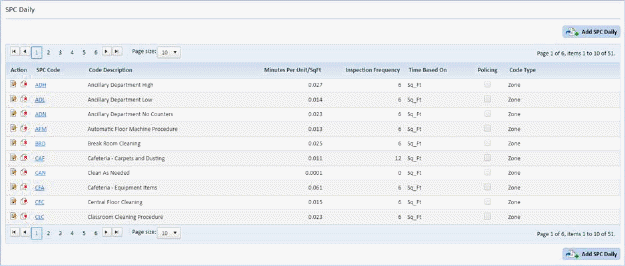
2. Click
on the Add SPC Daily button  to
display the figure below.
to
display the figure below.
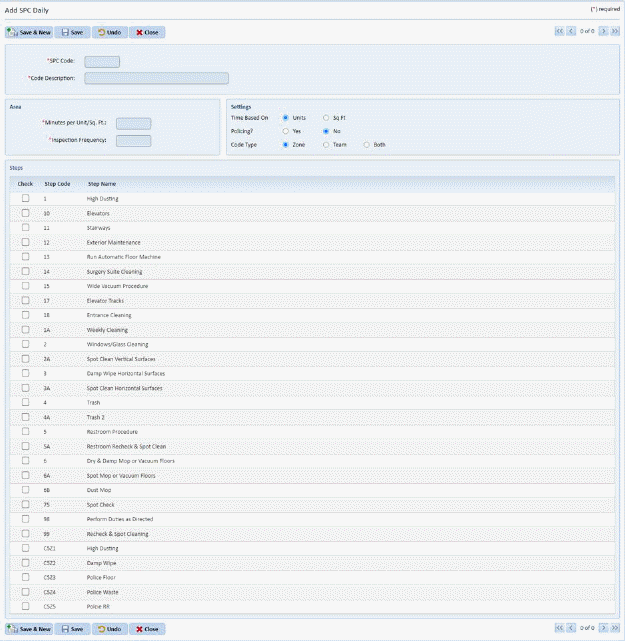
3. Enter all the necessary information for the new Daily SPC Code in the empty fields. Check the Cleaning Steps associated with the new SPC Code.
4. If you
are satisfied with the new Daily SPC Code, click on the Save button . To cancel, click on the Undo button
 .
.
5. Click
on the Close button  to return to the
SPC Daily List.
to return to the
SPC Daily List.
6. Repeat steps 2 through 4 for all other codes you wish to enter.