 to open the
Scores List.
to open the
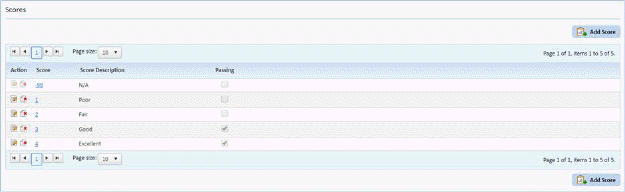
Scores List.Below is the procedure to add additional scores:
1. Click
on the Scores button to open the
Scores List.
2. Click
on the Add Score button  to display
the figure below:
to display
the figure below:
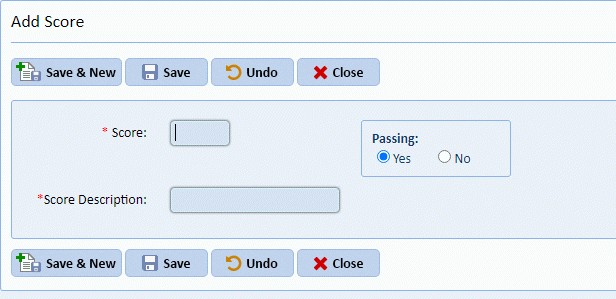
3. Enter all the necessary information.
4. Click
on the Save button  after you are
satisfied with the new addition.
after you are
satisfied with the new addition.
NOTE: If you have completed inspections and decide to change the scoring you will see this dialogue:
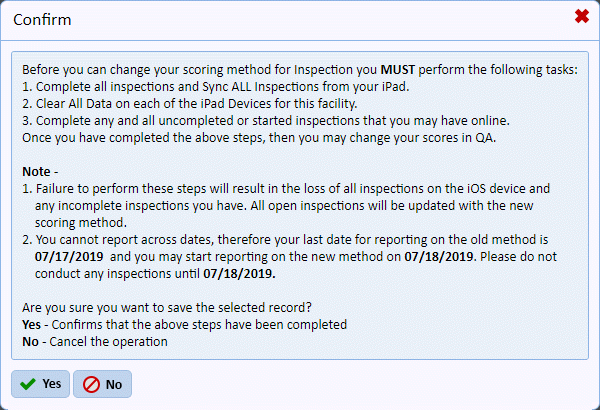
5. Answer the confirmation above (if applicable).
6. To
cancel, click on the Undo button .
.
7. Click
on the Close button  to return to the
Scores List.
to return to the
Scores List.
8. Repeat steps 2 through 5 for all other scores you want added.